Multi Reaction Report
Create a report
The Multi Reaction Report is an easy way to see multiple reactions in a single view. You can search for a specific reaction by the reaction reference or the yield. You can also see the full list of reactions in the left table. Once you have selected the reactions you want to include in a report, you can click on one of the report methods: either Overview of reactions or Report parallel reactions.
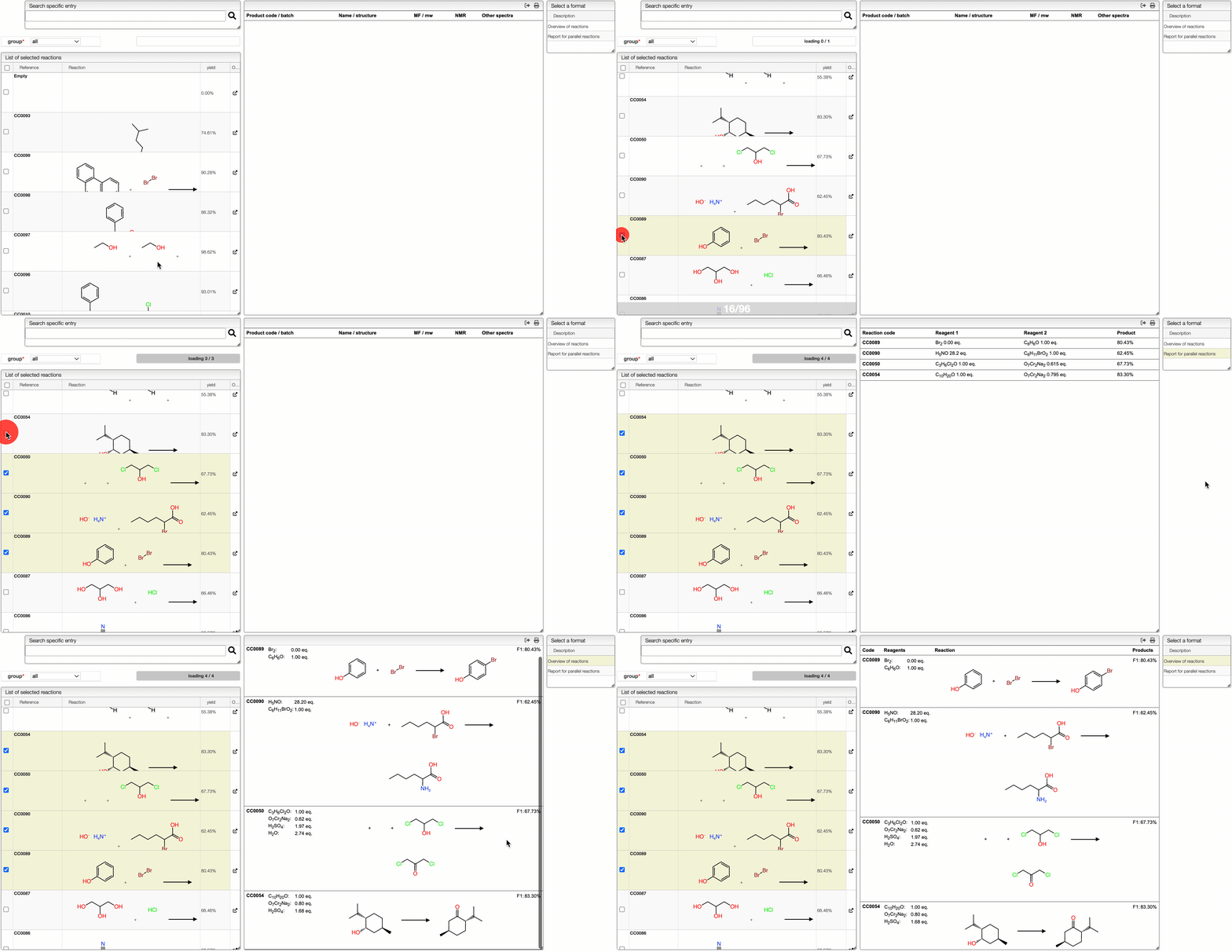
The Overview of reactions method is used to have a visual representation of the reactions. The Report parallel reactions method is used to have a global understanding of the influence of the reaction conditions to the yield in the case of parallel reactions.
Exporting the report
It is possible to export the report by clicking on the corresponding report. The table will then be copied in the clipboard, and you can paste it in a spreadsheet for example.